01
Intent drift
The agent starts with one task, then slowly edits files or behavior outside the saved plan.
Ripple saves the approved boundary, checks the staged Git diff, and stops the workflow when the agent crosses it. It verifies authorization before work continues.
Ripple saves the approved boundary, checks the staged change, stops boundary drift, and shows the exact evidence before the agent continues or the PR merges.
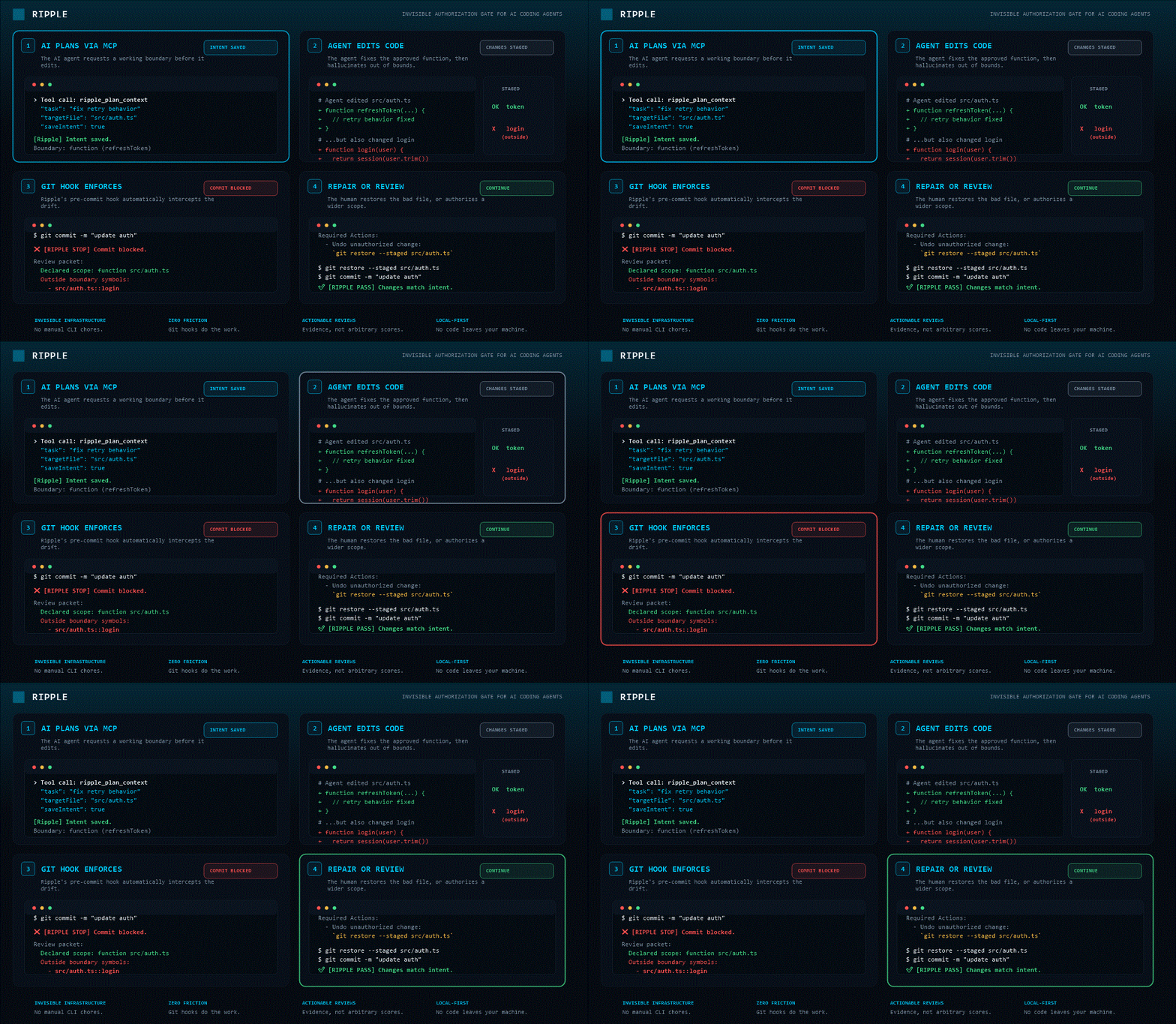
This demo shows Ripple's real command contract: plan before edit, check after edit, catch drift, explain risk with evidence, and stop on crossed boundaries before work continues.
The hidden pain is not only bad code. It is unverifiable authorization: what was the agent allowed to change, what did it change on its own, and why does that matter?
The agent starts with one task, then slowly edits files or behavior outside the saved plan.
The human approved one file or function, but the agent changes nearby code anyway.
Ripple explains boundary, policy, blast-radius, public-contract, and verification risk before the agent continues or the PR merges.
If the agent crosses the approved task, Ripple halts the commit and surfaces concrete verification targets, out-of-bounds files, and required actions.
❌ [RIPPLE STOP] Commit blocked by Ripple active-intent boundary.

Decision: human-review
Can continue: no
Must stop: yes

Review packet:
  protocol: ripple-review-packet
  task: fix retry behavior
  declared scope: function src/auth.ts
  human gate: required-before-edit
  changed files
    - src/auth.ts
  outside boundary symbols
    - src/auth.ts::login
  reviewer notes
    - Function scope crossed: review changed symbols outside the declared boundary.
    - Verification evidence is required before handoff.

Required Actions:
  - Undo or replan unapproved symbol: src/auth.ts::login
  - Ask the human to approve a wider boundary before keeping these changes.
Ripple saves the approved freedom level before editing, then checks whether the agent stayed inside it.
| Mode | Boundary | Use when |
|---|---|---|
brainstorm |
No edits allowed | You want the agent to think and propose paths before touching code. |
function |
Only the approved symbol | You want a narrow, high-trust change inside one function. |
file |
Only the selected file | You want a bounded edit in one file. |
task |
Files in the saved plan | You want a multi-file change with an explicit saved scope. |
pr |
Full task scope | You expect human review before merge. |
Ripple is not another coding agent. It is the invisible infrastructure around coding agents.
.ripple/policy.json.
Ripple runs entirely in the background. Connect your agent and go back to coding.
# 1. Initialize policy and Git hooks
npx -y @getripple/cli init
✓ Policy created: .ripple/policy.json
✓ MCP Rules: .cursorrules updated
✓ Hooks installed: pre-commit, post-commit

# 2. Add MCP to Cursor / Claude
"mcpServers": {
  "ripple": {
    "command": "npx",
    "args": ["-y", "@getripple/mcp", "--workspace", "/repo"]
  }
}

# 3. Code normally. The Git hook verifies the AI's work.
git commit -m "fix auth"
[RIPPLE PASS] Staged changes match saved intent.
The CLI, MCP server, and VS Code extension all point to the same local Ripple workflow.
The human, hook, and CI enforcer. Powers pre-commit hooks and GitHub Actions.
npx -y @getripple/cli init
MCP stdio server so compatible AI agents can ask Ripple what to read, whether they drifted, and if they can continue.
npx -y @getripple/mcp --workspace /repo
Human-facing editor layer with Impact Lens, caller counts, safety signals, and copyable agent prompts.
code --install-extension rippleai.ripple
Ripple is public alpha. It is strongest today on JavaScript and TypeScript repos, with basic Python support.
Ripple’s proof suite verifies the control loop across terminal workflows, CI gates, MCP host paths, MCP stdio paths, approval gates, handoff contracts, and risk summaries.
npm run proof:agent-control
✓ init proof
✓ authorization-gate proof
✓ approval-control proof
✓ agent-handoff proof
✓ ci-gate proof
✓ mcp-gate proof
✓ review packet proof
✓ blast-radius proof
--no-verify)
Imports, reverse imports, exports, symbols, call edges, focus context, risk, and staged drift checks.
Static imports, from-imports, functions, classes, methods, and file-level staged checks.
No account, no telemetry, no cloud indexing, no code upload, and no remote model call required by the engine.
Ripple defines what the agent was authorized to do, checks what it actually changed, and blocks unapproved drift before work merges. Start with the CLI, connect the MCP server, or install the VS Code extension.